Every app, its own exit.
un/braid sends each Android app through a different VPN exit, at the same time, even through different providers. Your banking app stays direct, YouTube leaves from New York, everything else from Amsterdam.
Bring your own VPN. Use a subscription you already have, or your own server. un/braid provides no VPN servers.
Android 13 and up, 64-bit · Free and open source · No account
The app, screen by screen
Five screens. That’s the whole app.
01 · Routes
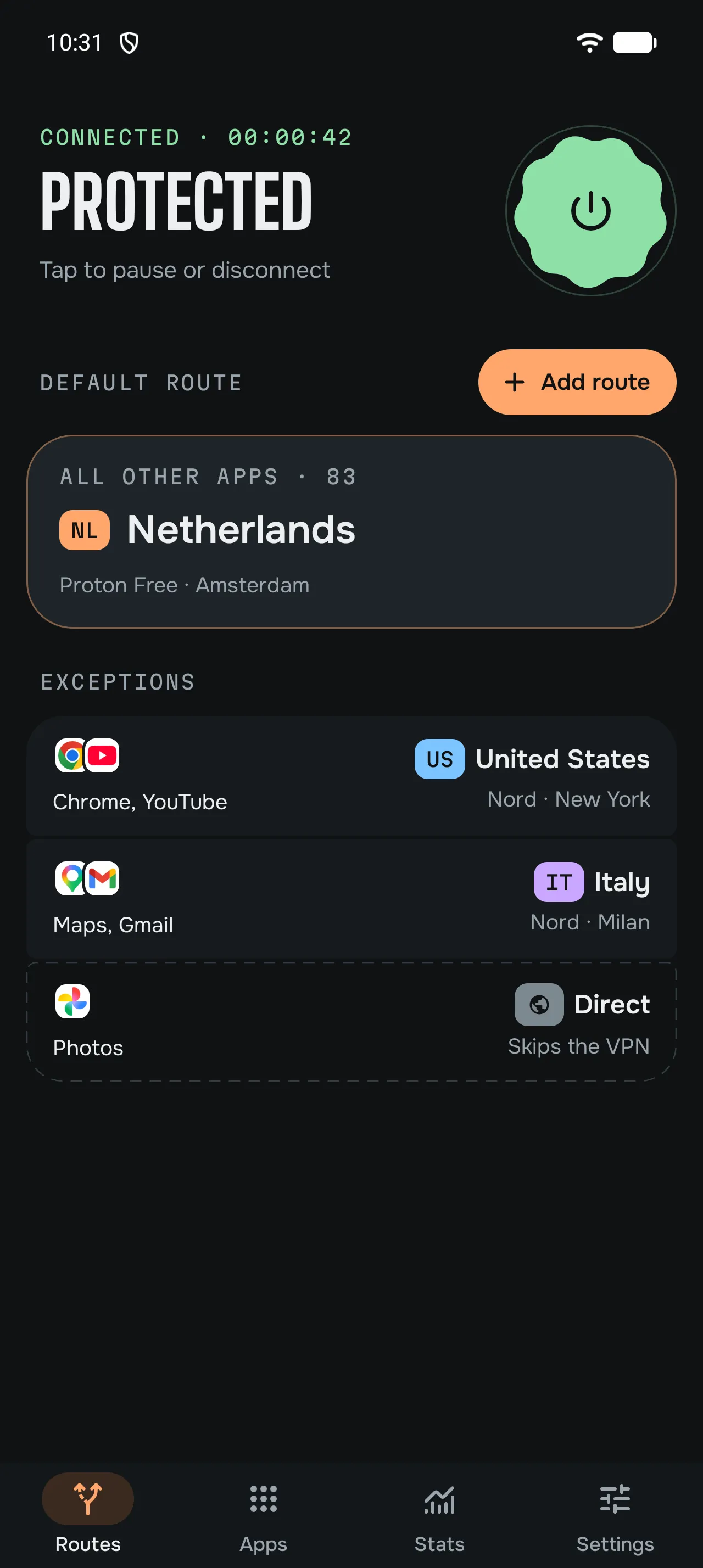
A default for everything. Exceptions where you want them.
Send all your apps through one exit, then move the ones you choose somewhere else. Each route can use a different provider: here Proton VPN for the Netherlands, NordVPN for the United States and Italy.
02 · Apps
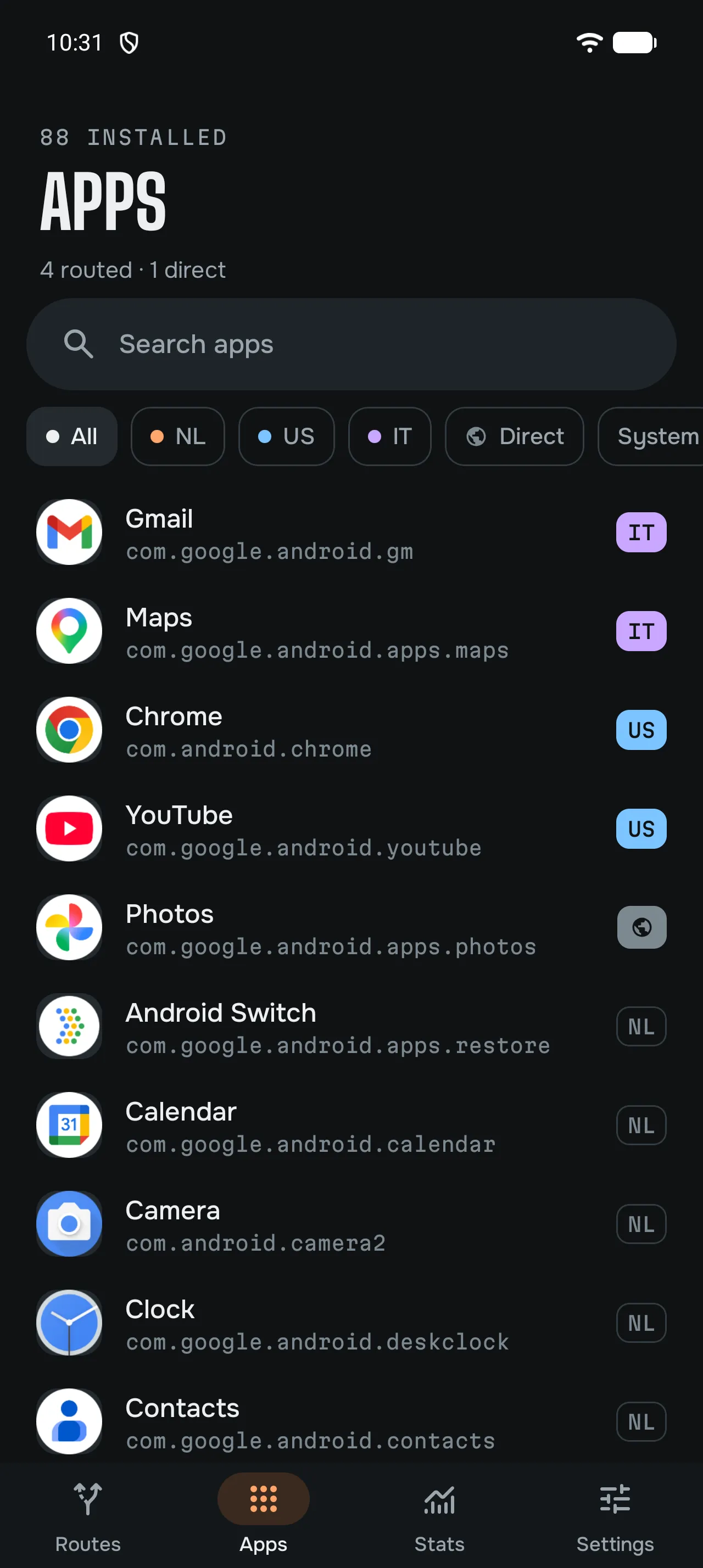
Every app shows where it goes.
Search your apps, filter them by exit and change any app’s exit with a tap. Set an app to Direct and it skips the VPN.
03 · Locations
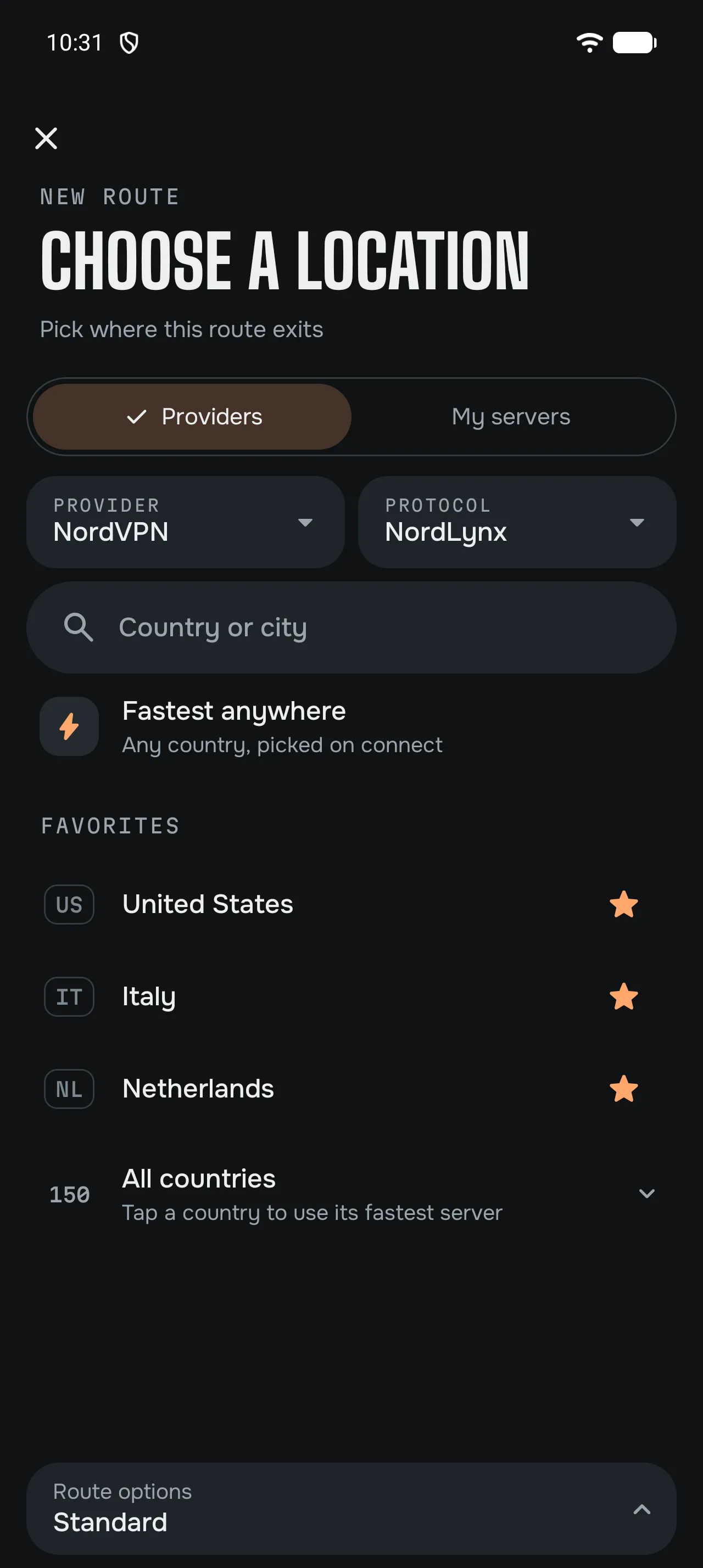
Any provider. Any country.
Choose a provider, then a country, a city or one exact server, or let un/braid pick the fastest. Favourites stay on top.
04 · Stats
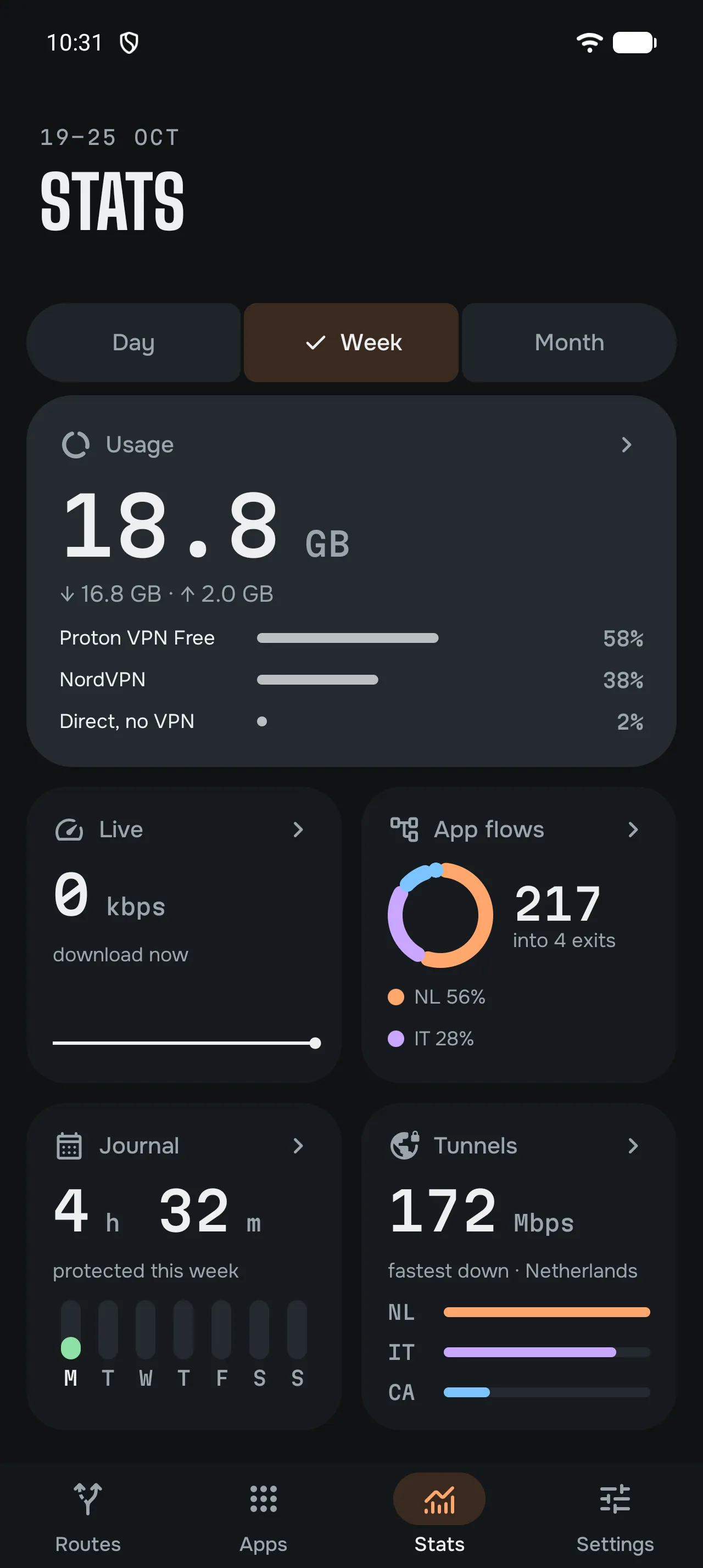
Insight, if you want it.
Data per app, exit and provider, app flows, tunnels and speed tests. Off until you turn it on, and it stays on your phone.
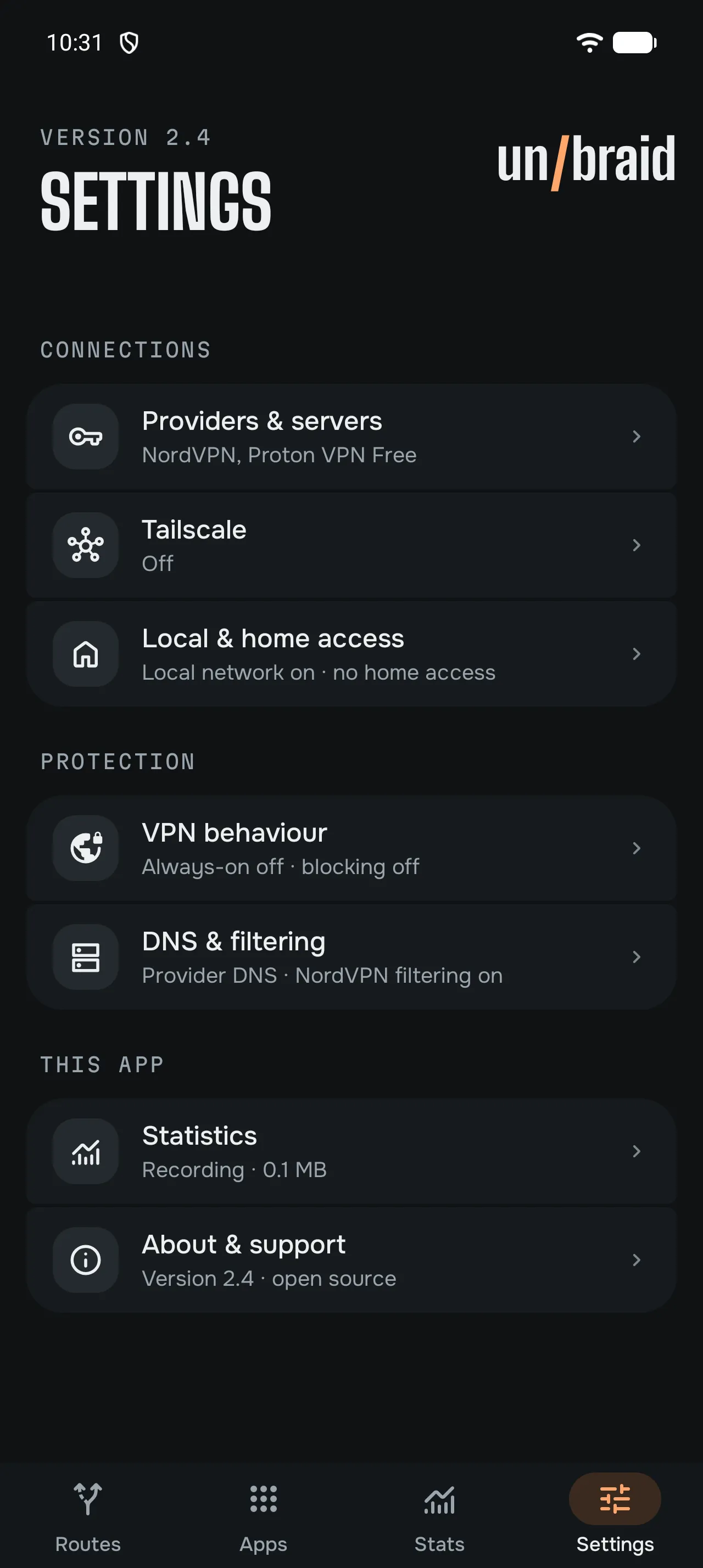
05 · Settings
Everything in one place.
Providers, Tailscale, home access, DNS and blocking, statistics. Each setting shows its current state at a glance.
Several providers. At the same time.
Some apps through NordVPN, others through Mullvad or Proton VPN, a streaming app through your router at home. Every route picks its own provider.
All providers and configs →- All other appsNetherlandsNordVPN
- Chrome, YouTubeUnited StatesMullvad
- Maps, GmailItalyProton VPN
- A streaming appHomeTailscale exit node
- Banking appDirectNo VPN
You need a subscription with each provider you use, or your own server. Their device limits apply to the exits you open.
Your tailnet. Built in.
Tailscale runs inside un/braid, next to your VPN exits. No second app, no switching.
- Your devices, anywhereThe NAS, the printer, the router at home: reachable from the apps you route through un/braid.
- Exit nodesSend chosen apps out through your own connection at home, like any other exit.
- Your own control serverPoint it at Headscale instead of Tailscale's servers.
- No account.Nothing to sign up for with un/braid. Your provider logins are stored encrypted on your phone.
- No servers of ours.Your providers or your own servers carry the traffic. It never passes through anything we run.
- No analytics.The app has no analytics, crash reporting or update checks of its own. Stats are off until you turn them on.
- No ads. Open source.GPL-3.0. Read the source. It's yours.
The app contacts only the services listed in our privacy policy.
Take it for a spin.
Free, with no ads and no paid features. Made by one person; donations keep it going.